
Part of our guide to AI Website Builders
Hostinger vs Wix: Which AI Website Builder Is Better for Small Businesses?
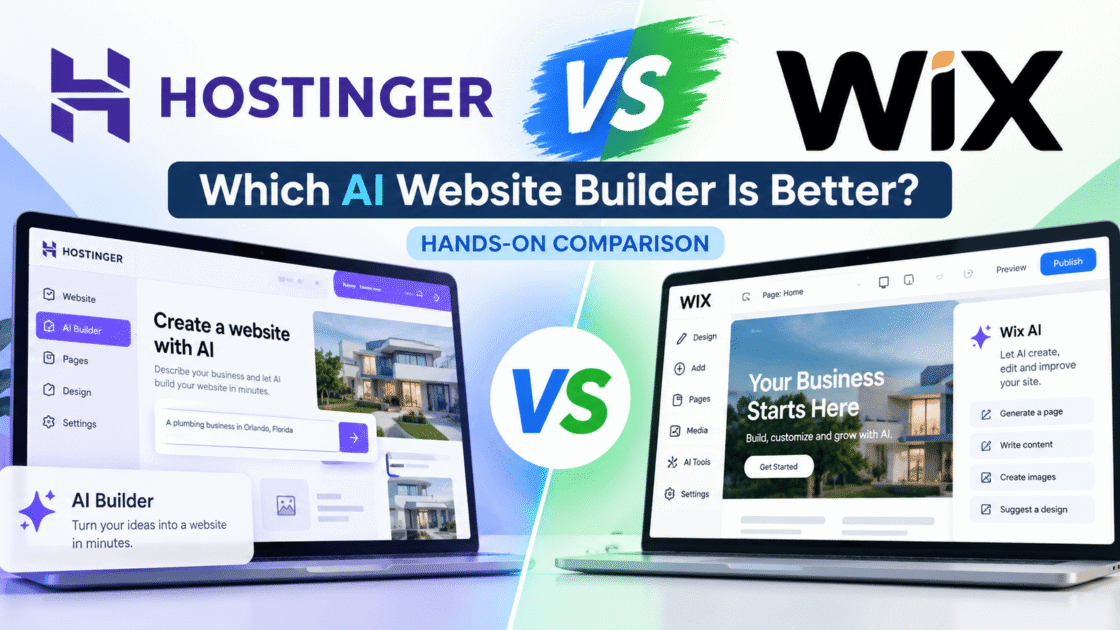
AI website builders promise to make creating a business website much easier. Instead of starting with a blank page, you describe the kind of website you want and let AI help generate the design, content, and structure.
But I wanted to know what actually happens when you use these tools to build the same type of small-business website.
So I tested Hostinger AI Website Builder and Wix using the same fictional business concept: ComfortFlow Plumbing & Air, a local plumbing and HVAC company serving homeowners in Orlando, Florida.
This wasn’t a real business, and I didn’t publish the test websites as real companies. The goal was to give both platforms a similar job and compare what they produced.
I asked both builders to create a professional small-business website with plumbing and HVAC services, clear calls to action, service-area information, FAQs, and a way for potential customers to request service.
I also went beyond the initial website generation. I used each platform’s AI editing tools to change content, add sections, and correct information after the websites had been generated.
That last part turned out to be especially important.
During my testing, I found that both tools could create a professional-looking starting point quickly, but AI-generated business content still required careful human review. I also found differences in how Hostinger and Wix responded when I asked their AI tools to make changes.
In this comparison, I’ll show you what happened with both builders, where each one performed well, where I ran into problems, and which one I think makes more sense for different types of small-business owners.
Hostinger vs Wix: Quick Verdict
After testing Hostinger and Wix with the same fictional small-business project, I don’t think there is one winner for every user.
Hostinger gave me a more AI-driven building experience. Its Agentic workflow was able to generate the site, respond to plain-English instructions, add a new structured section, and make changes across different parts of the project.
Wix also gave me an AI-assisted starting point, but the experience felt different. I could use Aria to request changes while still having Wix’s visual editor available for more direct control.
Both platforms also demonstrated the same important limitation: AI-generated business content needs human review. During my tests, generated copy included information that I had not provided, and I had to correct it before I would consider the content suitable for a real business website.
My early conclusion from these tests is:
Hostinger is the more interesting choice if you want AI to take a larger role in building and modifying the website.
Wix is the more interesting choice if you want AI assistance combined with more traditional visual editing and tighter manual control.
For a small-business owner, the better choice therefore depends on how much control you want to give the AI versus how much of the website you want to manage yourself.
I’ll explain why throughout this comparison.
How I Tested Hostinger and Wix
To make this comparison as fair as possible, I used the same fictional business concept with both website builders: ComfortFlow Plumbing & Air, a plumbing and HVAC company created specifically for this test.
I gave both platforms similar basic requirements. I wanted a professional website for a local service business in Orlando, Florida, with plumbing and HVAC services, clear calls to action, service-area information, FAQs, and a way for potential customers to request service.
ComfortFlow Plumbing & Air is not a real company. I used it so I could experiment with the AI tools without publishing generated information about a real business.
I wasn’t only interested in which builder could produce the best-looking first draft. I also wanted to see what happened after the initial generation.
For each platform, I looked at:
- The AI setup process
- The initial website it generated
- How well it followed plain-English instructions
- Whether I could make targeted changes with AI
- How it handled adding new website sections
- The accuracy of the generated business content
- How much control I had when correcting AI-generated content
- The overall experience for someone who doesn’t want to build a website from scratch
I did not test every feature available in Hostinger or Wix. This comparison is based on the parts of the products I actually used during these website-building experiments.
That means when I discuss something I didn’t personally test, I won’t present it as a hands-on result.
For a closer look at my experience with Hostinger, read my Hostinger AI Website Builder hands-on review, where I explain the website-building process, AI editing tests, and content accuracy issues in more detail.
AI Website Setup: Hostinger vs Wix
Before comparing the finished websites, I wanted to see how each AI website builder handled the initial setup process.
I used the same fictional small-business concept for both tests: ComfortFlow Plumbing & Air, a plumbing and HVAC company created specifically for this comparison. I gave both platforms similar information about the business, its services, its Orlando service area, and how potential customers should be able to request service.
This gave me a consistent starting point for comparing how Hostinger and Wix interpreted the same type of website project.
Hostinger Setup Experience
With Hostinger, I started by asking its AI Website Builder to create ComfortFlow Plumbing & Air, a fictional plumbing and HVAC company serving homeowners in Orlando, Florida.
I described the services I wanted, including AC repair, AC installation, heating services, plumbing repairs, drain cleaning, water heater installation, and emergency services. I also asked for a clean, trustworthy design with clear Call Now and Request Service buttons, service-area information, FAQs, and a contact section.
Hostinger did not simply generate the website without asking anything else. It followed up by asking how homeowners should request service.
I chose an option that would let visitors call the business or submit a service-request form without using online checkout.
From there, Hostinger generated a substantial small-business website with service sections, calls to action, service-area information, FAQs, a request form, navigation, business imagery, and a responsive layout.
I liked that the follow-up question was relevant to the type of business I was building. Instead of treating every website the same way, Hostinger asked about an important part of the customer journey before completing the site.
Wix Setup Experience
I gave Wix a very similar assignment using the same ComfortFlow Plumbing & Air concept.
I described the plumbing and HVAC business, the Orlando service area, the services it should offer, the light professional design I wanted, and the need for Call Now and Request Service actions.
Wix also asked a useful follow-up question. It wanted to know whether homeowners should schedule appointments online using Wix Bookings or whether they should contact the business directly.
I chose direct calling plus a service-request form, with no online booking or checkout.
Wix then used that information to create the website and incorporated Wix Forms for service requests.
The generated site included a hero section, services, Orlando coverage information, FAQs, calls to action, business imagery, navigation, and a service-request path.
Like Hostinger, Wix showed that the initial AI conversation can do more than simply ask for a business name. It used a follow-up question to determine how potential customers should interact with the website.
Setup Winner: Tie
For the initial setup experience, I would call this a tie.
Both Hostinger and Wix understood the basic local-service-business concept, asked a relevant follow-up question about how customers should request service, and turned the information into a usable website structure.
Hostinger asked how homeowners should request service, while Wix asked whether customers should use Wix Bookings or contact the business directly. In both cases, the follow-up question helped shape an important part of the website before it was generated.
Based on this specific test, neither platform gave me a clear advantage during the initial setup process.
The differences became much clearer after the websites were generated, especially when I started comparing the initial designs, AI editing experience, and accuracy of the generated content.
Initial Website Design: Hostinger vs Wix
After the setup conversations, both platforms generated a complete starting point for the same fictional ComfortFlow Plumbing & Air business.
This was where I started noticing bigger differences between the two builders. I looked at the overall visual design, page structure, business imagery, service presentation, calls to action, and how close each generated website felt to something a small-business owner could realistically continue working with.
I wasn’t looking for a perfect finished website at this stage. I wanted to see which platform gave me the stronger starting point before I made any significant changes with its editing tools.
Hostinger’s Initial Design
Hostinger gave me a surprisingly complete first version of the ComfortFlow website.
The generated homepage included a prominent hero section, plumbing and HVAC services, calls to action, service-area information, FAQs, a request-service form, navigation, business-related imagery, and other sections designed around a local home-service company.
Visually, the site used the light design I had requested, with white backgrounds, blue as the primary color, and green accents. The layout also adapted automatically when I checked the website on a mobile-sized screen.
The overall structure felt focused on generating customer inquiries. Important actions such as calling the business and requesting service were easy to find, and the page was organized around information a homeowner might look for when choosing a plumbing or HVAC company.
As a starting design, Hostinger gave me a substantial amount to work with without requiring me to build the page section by section myself.
However, the polished appearance also hid an important problem: some of the business information Hostinger generated was not information I had provided. I cover that issue separately in the content-accuracy comparison because it became one of the most important findings from my test.
Wix’s Initial Design
Wix also generated a complete starting website for the ComfortFlow concept, but its visual approach felt noticeably different from Hostinger’s.
The homepage included a large hero area, service cards, an Orlando coverage section, FAQs, calls to action, navigation, business imagery, and a path for visitors to request service.
The design used large, bold typography and a more editorial visual style. Some sections were especially striking, including the dark section that paired large text with an HVAC technician image.
The generated website looked modern, but I found some parts less immediately practical for a local service business. For example, the service cards contained fairly long descriptions, and some of the visual choices placed more emphasis on presentation than on quickly communicating the most important information.
Still, Wix gave me a substantial website structure rather than a nearly empty template. I had enough content and design in place to begin evaluating how easily I could modify the site using Wix’s AI and editing tools.
As with Hostinger, I also found generated business information that needed human review. I will compare that separately in the content-accuracy section rather than treating it as a design issue.
Initial Design Winner: Hostinger
For the initial website design, Hostinger was my winner.
Both platforms produced substantial starting websites, and Wix created some visually interesting sections. However, Hostinger’s initial design felt more immediately suited to the type of local small business I was testing.
The Hostinger version gave greater visual priority to the actions I would expect to matter for this type of website, including calling the business and requesting service. Its overall structure also felt easier to understand at a glance.
Wix’s design was more visually expressive in some areas, but I felt that parts of the page would need more refinement before I would use them for a real local-service website.
This does not mean Hostinger produced a publication-ready website. Both generated sites still required human review and editing, particularly when it came to the accuracy of the business content.
Based specifically on the initial designs generated during my ComfortFlow test, Hostinger gave me the stronger starting point.
AI Editing Experience: Hostinger vs Wix
Generating the first version of a website is only part of the experience. I also wanted to know what would happen when a small-business owner needed to change what the AI had created.
For both platforms, I tested whether I could describe changes in plain English instead of manually rebuilding sections of the website.
I asked the AI tools to make targeted content changes, tested whether they could add a new structured section, and later asked them to correct generated business information that I had not provided.
These tests revealed some of the clearest differences between Hostinger and Wix.
Editing With Hostinger Agentic AI
Hostinger’s Agentic mode let me request website changes using plain-English instructions rather than editing every element manually.
For my first controlled test, I asked Hostinger to change only the hero headline while keeping the existing design, colors, layout, images, and everything else the same.
It completed that targeted change successfully. The new headline appeared while the surrounding hero design remained intact.
Next, I asked Hostinger to add a new section called “Our Simple Service Process.” I specified three steps: Tell Us What’s Wrong, We Diagnose the Problem, and We Fix It Right.
Hostinger created the new three-step section and matched it to the existing site’s typography, spacing, colors, and overall visual style. This was one of the stronger results from my test because I could add a structured section without building it manually.
I later gave Agentic AI a much broader instruction to remove unsupported business claims across the website. It successfully removed many of them, but the cleanup also deleted entire sections, including Why Choose Us and Customer Reviews, because those sections depended heavily on information the AI had invented.
That showed me both the usefulness and the risk of AI-powered editing. Hostinger could make substantial changes from natural-language instructions, but broad instructions still required me to inspect the result carefully afterward.
Editing With Wix Aria
Wix let me make AI-assisted changes through Aria while keeping the traditional visual editor available.
For my first controlled test, I asked Aria to change the main hero headline while keeping the current design, colors, layout, images, and everything else the same.
That targeted edit worked. Wix changed the headline while preserving the surrounding hero design.
I also asked Wix to create the same “Our Simple Service Process” section I had requested from Hostinger, using the same three steps. The section did not appear immediately after that request, but it was present later after additional AI editing.
The biggest issue appeared when I asked Wix to clean unsupported information from the entire demonstration website. The broad instruction triggered a page-wide rewrite and changed more content than I intended.
Wix later acknowledged that the page-wide rewrite had been too broad and recommended targeting individual sections for tighter control.
I then tested that approach by limiting the cleanup to specific text elements in the hero section. Wix reported that it changed only the main heading and supporting paragraph while avoiding new guarantees, statistics, credentials, or promises.
My experience with Aria therefore showed that precise, narrowly targeted instructions produced more controlled results, while broader instructions could affect unrelated content.
AI Editing Winner: Hostinger
For AI-powered editing, Hostinger was my winner in this test.
Both platforms successfully handled a targeted hero-headline change, which showed that simple natural-language edits can work well when the instruction is specific.
Hostinger pulled ahead when I asked it to create the new “Our Simple Service Process” section. It generated the three-step section directly and matched it to the existing website’s visual style.
Wix was also capable of creating the requested section, but the result was less straightforward. The section did not appear immediately after my initial request and became visible later after additional AI editing.
Neither platform handled broad cleanup instructions perfectly. Hostinger removed unsupported information but also deleted entire sections that depended on invented content. Wix performed a page-wide rewrite that changed more of the website than I intended.
Based on my experience, I found Hostinger’s Agentic workflow more effective when I wanted the AI to take a larger role in modifying the website. Wix gave me another advantage, though: its traditional visual editor remained available when I wanted more direct manual control.
For AI editing specifically, Hostinger gets the win. For users who prefer combining AI assistance with hands-on visual editing, Wix may still be the better fit.
Content Accuracy: Hostinger vs Wix
Content accuracy became one of the most important findings from my entire test.
A professional-looking website can create a false sense that everything on the page is ready to publish. During my testing, however, both AI website builders generated business information that I had not provided.
For a fictional demonstration website, that gave me something useful to test. For a real business, however, publishing unsupported information could mislead potential customers.
I therefore checked the generated content from both platforms and tested what happened when I asked their AI tools to remove information that could not be verified.
The types of problems and the way each platform handled the cleanup were noticeably different.
Hostinger Content Accuracy
Hostinger’s initial website looked polished, but this was also where I found the most obvious unsupported business claims in my test.
The generated content included details I had never provided, such as years in business, a large number of completed jobs, star ratings and review counts, warranty claims, licensing information, fictional customer testimonials, and other credibility-related statements.
For example, the generated site presented ComfortFlow as an established business even though I had only provided a fictional company name, location, services, and basic website requirements.
I then asked Hostinger’s Agentic AI to remove all invented or unverified business claims without replacing them with new unsupported information.
The cleanup removed many of the problematic claims, including fictional testimonials, ratings, review counts, business-history claims, warranty information, credentials, response-time claims, and other details I had not supplied.
However, Hostinger also removed entire sections such as Why Choose Us and Customer Reviews because much of their content depended on the invented information.
This was an important lesson from my test: Hostinger could correct a large amount of unsupported AI-generated content through one instruction, but the original generation still required careful fact-checking, and a broad cleanup could remove more of the website than expected.
I would not publish an AI-generated business website from Hostinger without reviewing every factual claim first.
Wix Content Accuracy
Wix also generated business information that required fact-checking, even though I had specifically instructed it not to invent unsupported business claims.
During my test, the generated website included details I had not provided, including a fictional phone number and email address, 24/7 availability language, and other operational statements about the business and its technicians.
Wix did appear to avoid some of the more aggressive credibility claims I had encountered with Hostinger, such as large review counts and years-in-business statistics. However, the presence of invented contact and operational information was still a serious problem for a website that could potentially be published for a real business.
I asked Aria to remove the unsupported information while preserving the existing design, services, service areas, calls to action, and overall layout.
Wix removed several of the obvious unsupported details, including the fictional contact information and explicit 24/7 claims. However, the broad cleanup also triggered a page-wide rewrite that changed more content than I intended.
Wix later acknowledged that the page-wide rewrite had been too broad and suggested making future corrections section by section. When I followed that approach with the hero content, the resulting edit was more controlled.
My Wix test therefore reached a similar conclusion to my Hostinger test: AI-generated business content should not be assumed to be accurate simply because the finished website looks professional.
Before publishing a Wix AI-generated business website, I would verify every phone number, email address, service claim, credential, availability statement, guarantee, and other factual detail.
Content Accuracy Winner: Wix
For content accuracy, Wix gets a narrow win in my test, but neither platform performed well enough for me to trust the generated business content without verification.
Hostinger generated more extensive unsupported credibility claims, including fictional testimonials, ratings and review counts, years in business,
Hostinger generated more extensive unsupported credibility claims, including fictional testimonials, ratings and review counts, years in business, warranty claims, credentials, and other business details that I had not provided.
Wix also invented information, including contact details and availability or operational claims. Those are still significant problems, especially because I had explicitly instructed Wix not to invent unsupported business facts.
The reason I give Wix the narrow advantage is that, in my test, its initial unsupported claims were less extensive than the credibility signals Hostinger generated.
However, Wix does not get a clean pass. Its broad cleanup instruction caused a page-wide rewrite, while Hostinger’s cleanup removed entire sections that depended on invented information.
The most important conclusion is not that one platform can be trusted automatically. It is that both require human fact-checking before an AI-generated business website is published.
Based only on what happened in my ComfortFlow tests, Wix gets the narrow win for content accuracy.
Ease of Use for Beginners: Hostinger vs Wix
For a small-business owner building a first website, features are only useful if the platform is understandable enough to use without constantly fighting the editor.
During these tests, I paid attention to how much guidance each platform provided, how easy it was to communicate what I wanted, and how much manual website-building knowledge I needed to make changes.
Both Hostinger and Wix use AI to reduce the amount of work required to get started, but they approach the website-building experience differently.
Hostinger leaned more heavily on its Agentic AI workflow, where I could describe changes and let the AI work on the website for me. Wix combined its Aria AI assistance with a more traditional visual editing environment.
That difference became important when I considered which experience might feel more comfortable for someone building a business website for the first time.
Hostinger for Beginners
Hostinger felt approachable because I could accomplish a lot by describing what I wanted in ordinary language.
The initial AI setup guided me through an important decision about how customers should request service, and Agentic AI later allowed me to request changes without manually rebuilding the website.
During my test, I was able to change a specific headline and add an entirely new three-step service-process section using plain-English instructions.
That workflow could be particularly useful for a beginner who knows what they want the website to say or do but does not know how to build the corresponding layout manually.
The trade-off is that giving the AI more control also means checking its work carefully. My broader cleanup request demonstrated that Agentic AI could make extensive changes, including removing entire sections when it determined that their content depended on unsupported information.
For a beginner, I found Hostinger easier when the goal was to describe an outcome and let the AI perform much of the website editing. I would still recommend reviewing the site after every significant AI-generated change rather than assuming the result is exactly what was requested.
Wix for Beginners
Wix approached the beginner experience differently. Aria provided AI assistance, but I also had access to Wix’s visual editor when I wanted to work directly with the page.
That combination gave me more ways to make changes. I could ask Aria to handle an edit in plain English or use the editor to select and adjust parts of the website myself.
During my test, Aria successfully handled a targeted hero-headline change when I clearly specified what should change and what should remain untouched.
The visual editor can be an advantage for beginners who prefer seeing the page and directly selecting what they want to change. At the same time, having both AI assistance and traditional editing controls means there can be more options to learn compared with a workflow that relies more heavily on AI instructions.
Ease of Use Winner: Hostinger
For my ComfortFlow tests, Hostinger gets the narrow win for beginner ease of use.
Its Agentic AI workflow made it easier for me to describe an outcome in plain English and let the AI handle much of the website editing. Wix was also beginner-friendly and offered more direct visual control, but that also introduced more editing options to manage.
For someone who wants AI to handle more of the website-building process, I found Hostinger easier. Someone who prefers more hands-on visual control may prefer Wix.
Winner: Hostinger, by a narrow margin.
Pricing and Value: Hostinger vs Wix
Price matters for small-business owners, but I don’t want to compare Hostinger and Wix based only on the lowest advertised number.
The better question is what each platform gives a small-business owner for the money, especially when AI website-building tools are part of the reason for choosing the platform.
For this comparison, I will separate the pricing information from my hands-on testing. Prices and plan details can change, so any specific pricing should be checked against the companies’ current official pricing before this article is published.
My hands-on tests can tell me how the two builders felt to use and what they produced. Pricing requires a separate current comparison before I can decide which platform offers the better overall value.
Hostinger Pricing
At the time of this comparison, Hostinger advertises its Premium plan from $2.99 per month when purchased on a 48-month term. The total upfront price shown is $143.52, and Hostinger says the plan renews at $10.99 per month.
Hostinger also lists an Unlimited plan from $3.99 per month on a 48-month term, with a total upfront price of $191.52 and renewal at $16.99 per month.
The important detail is that these advertised monthly prices are not month-to-month payments. Hostinger states that its plans are paid upfront, and the monthly figure represents the total plan price divided by the number of months in the term.
For a small-business owner comparing website builders, that makes Hostinger’s introductory pricing attractive, but the longer commitment and renewal price should be considered alongside the advertised monthly rate.
Pricing and Value: Hostinger vs Wix
| Pricing detail | Hostinger | Wix |
|---|---|---|
| Free plan | No free plan shown | $0 |
| Entry paid plan shown | Premium — $2.99/mo | Light — $17/mo |
| Higher plan | Unlimited — $3.99/mo | Core — $14.50/mo promotional price shown |
| Business plan | — | Business — $19.50/mo promotional price shown |
| Billing shown | 48-month term | Monthly price displayed* |
| Entry-plan upfront cost shown | $143.52 for 48 months | Not shown in screenshot |
| Entry-plan renewal | $10.99/mo | Not shown in screenshot |
| Free domain | 1 year | 1 year on paid plans shown |
| Money-back guarantee | 30 days | 14 days |
| AI tools | AI website/app creation included; credits vary by plan | AI creation tools included |
Pricing Notes
These prices reflect what Hostinger and Wix displayed when I checked them for this comparison and may change over time.
Hostinger’s $2.99 monthly figure is based on a 48-month Premium plan paid upfront. The page showed a total of $143.52 for the initial 48-month term and a renewal price of $10.99 per month.
Wix displayed a $0 Free plan as well as paid plans. Its Light plan was shown at $17 per month, while promotional pricing was displayed for some higher-tier plans.
Because the two companies structure and present their plans differently, the advertised monthly prices are not always directly comparable. Readers should check the current price, billing period, renewal terms, and included features before purchasing.
Pricing and Value Winner: Hostinger
For a small-business owner who is ready to pay for a website, Hostinger gets the edge on pricing and value based on the plans displayed during this comparison.
Its Premium plan was shown at $2.99 per month on a 48-month term, while Wix’s Light paid plan was shown at $17 per month. Hostinger’s lower advertised price comes with an important trade-off: the introductory rate requires a much longer commitment and is paid upfront.
Wix does have an advantage that Hostinger did not show in this comparison: a $0 Free plan. That gives someone a way to start experimenting without immediately paying for a plan, although the free option is not directly equivalent to the paid plans shown in the table.
For someone who wants a paid small-business website and is comfortable with the longer upfront commitment, I found Hostinger to offer the stronger value based on the pricing displayed during this comparison.
Winner: Hostinger.
Hostinger vs Wix: Which One Should You Choose?
After building the same fictional ComfortFlow website with both platforms, I don’t think there is one answer that fits every small-business owner.
Hostinger makes more sense if you want AI to take a larger role in building and modifying the website. During my test, I could describe changes in plain English and let its Agentic AI handle much of the work. It also had the advantage in the paid pricing comparison I checked.
Wix makes more sense if you want AI assistance while still having more direct visual control over the page. Aria handled targeted instructions successfully during my test, while the Wix editor gave me another way to select and modify parts of the website myself.
Neither platform earned my complete trust for AI-generated business content. Both produced unsupported information during testing, which means I would carefully review names, contact information, statistics, credentials, guarantees, availability claims, and other business facts before publishing either website.
The choice therefore comes down largely to how you want to work: more AI-driven assistance with Hostinger, or a combination of AI assistance and more hands-on visual editing with Wix.
Choose Hostinger If…
Choose Hostinger if you want AI to do more of the website-building and editing work, prefer giving instructions in plain English, and are comfortable with the longer upfront commitment required for the introductory pricing shown during this comparison.
Choose Wix If…
Choose Wix if you want AI assistance but also prefer having more direct visual control over your website. During my test, I could ask Aria to make targeted changes in plain English while still using Wix’s visual editor when I wanted to work directly with page elements.
Wix may also make more sense if you want to experiment before committing to a paid plan, since a $0 Free plan was displayed when I checked its pricing.
The trade-off is that Wix’s paid entry plan was more expensive than Hostinger’s introductory Premium plan in the pricing I reviewed.
Final Verdict: Hostinger vs Wix
After testing Hostinger and Wix with the same fictional small-business project, Hostinger is my overall pick for the type of beginner I had in mind for this comparison.
Hostinger stood out for its AI-driven workflow. I could describe what I wanted in plain English and let the Agentic AI handle substantial website changes. It also won my ease-of-use comparison by a narrow margin and offered the stronger paid pricing value based on the plans displayed when I checked.
Wix still performed well. Its combination of Aria and the visual editor gave me more hands-on control, and Wix earned the narrow advantage in content accuracy during my tests. It also offers a free starting option, which can be useful for someone who wants to experiment before paying.
The biggest warning applies to both platforms: AI-generated business information should not be published without human review. Both builders generated unsupported information during my ComfortFlow tests, and both required corrections.
For a beginner or small-business owner who wants AI to handle more of the website-building process, I would choose Hostinger.
For someone who values more direct visual control and wants AI assistance alongside a traditional editor, I would lean toward Wix.
Overall Winner: Hostinger.
Frequently Asked Questions
Is Hostinger better than Wix?
In my hands-on tests, Hostinger was the better overall choice for someone who wants AI to handle more of the website-building process. Wix offered more direct visual control, so it may be a better fit for someone who prefers combining AI assistance with hands-on editing. Neither platform was better in every category.
Which is easier to use, Hostinger or Wix?
In my test, Hostinger was slightly easier for a beginner who wants to describe changes in plain English and let AI handle more of the work. Wix was also beginner-friendly, but its strength was combining AI assistance with a more hands-on visual editor. Which feels easier will depend on whether you prefer giving instructions to AI or editing page elements more directly.
Does Hostinger or Wix have a free plan?
Wix displayed a $0 Free plan when I checked its pricing for this comparison. Hostinger did not show a free website-builder plan in the pricing I reviewed. However, a free plan and a paid hosting plan are not directly equivalent, so compare the current features, limitations, and pricing before choosing.
Can I trust the content generated by Hostinger and Wix AI?
I would not publish AI-generated business content from either platform without reviewing it first. During my ComfortFlow tests, both Hostinger and Wix generated unsupported information that required correction. Before publishing, verify important details such as contact information, credentials, statistics, guarantees, service availability, and other factual business claims.
Which AI website builder is better for a small business?
Based on my tests, I would choose Hostinger for a small-business owner who wants AI to handle more of the website-building and editing process. I would choose Wix for someone who prefers more direct visual control while still having AI assistance available. Both can create a strong starting point, but neither should replace careful human review before a business website goes live.n
The Bottom Line
Both Hostinger and Wix showed me how far AI website builders have come. I was able to turn the same fictional small-business idea into a substantial website on both platforms without building everything manually.
For my test, Hostinger came out ahead overall because I preferred its more AI-driven workflow and found its paid pricing more attractive for the small-business use case I tested. Wix remained a strong alternative for users who want more direct visual control alongside AI assistance.
Whichever platform you choose, treat the AI-generated website as a starting point rather than a finished product. Review every important business fact, replace placeholder or unsupported information, test your forms and links, and check the website on both desktop and mobile before publishing.
Pros
- Hostinger made AI-driven website creation and editing straightforward.
- Hostinger successfully added a new section using plain-English instructions.
- Wix offered more direct control through its visual editor.
- Both platforms generated responsive small-business website designs.
- Wix offered a free plan for getting started.
Cons
- Both platforms generated unsupported business information.
- Hostinger removed entire sections while correcting invented claims.
- Wix's broad AI cleanup changed more content than requested.
- Hostinger's lowest advertised price required a 48-month commitment.
- Both platforms required careful human review before publishing.
How we test: every review follows our Editorial & Review Policy.
Hostinger AI Website Builder Review: My Hands-On Test
Updated
I tested Hostinger AI Website Builder by creating a real small-business website. See what worked, what didn’t, and what beginners should know.

How Much Does It Cost to Build a Website With AI in 2026?
Published
How much does it cost to build a website with AI in 2026? Compare Hostinger, Wix, and Squarespace pricing, renewal fees, and hidden costs.

How to Build a Small Business Website With Hostinger AI
Updated
Learn how to build a small business website with Hostinger AI, step by step. Follow my hands-on tutorial, customize your site, and avoid common AI mistakes.